
1. Log in to your cPanel account.
2. In the Email section, click on Global Email Filters.

3. Under Current Filters are displayed all existing filters. Click Delete next to the appropriate one.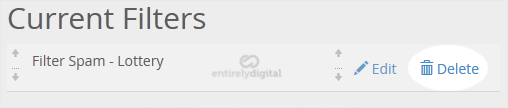
4. Now click on Delete Filter to remove your filter.
- Home
-
Hosting
- Browse All
- Linux Shared Hosting
- WordPress Optimized Hosting
- Reseller Hosting
- Advanced Anti-Spam Anti-Virus
- Virtual Private Servers (VPS)
- CloudLinux VPS
- Cyber Protect Backup
- Cyber Protect Backup - VPS/Dedicated Customers
- SSL Certificates
- Professional Email
- Register a New Domain
- Transfer Domains to Us
- News
- Knowledgebase
- Support & Network Status
- Affiliates
-
More